


Overview
The AX keyboard has been a reliable companion on my desk for more than thirty-six years. Over time, I made targeted modifications and repairs— adding EMI shielding, refurbishing worn switch contacts, repairing PCB trace damage around the connector, reinforcing the connector and ground, restoring the yellowed case with RetroBrite, and eventually converting the interface from PS/2 to USB so it could remain usable with modern systems.
It first served beside an i80286 system, and continued through the 386, 486, Pentium, and later Core i7 machines. Operating systems came and went—PC-DOS, PC Unix, IBM-DOS, and various versions of Windows from 98SE to NT and eventually to 7, 10, and 11. The connector also changed, from a 5-pin DIN DIN 41524 5-pin connector used for IBM-PC/AT keyboards to PS/2 and later to USB. Yet the same AX keyboard remains in service in my home in 2026.
In recent years its large footprint and characteristic noise have gradually given way to smaller keyboards such as the NiZ Atom66 or the PFU HHKB Professional Type-S. Still, the AX is not a relic stored away. It is kept maintained and ready for use, occasionally returned to the desk.
Machines, operating systems, and interfaces have come and gone, yet the AX keyboard remains on the desk, quietly unchanged through the years, between my hands and the machine.
One of my favorite keyboards
Why AX
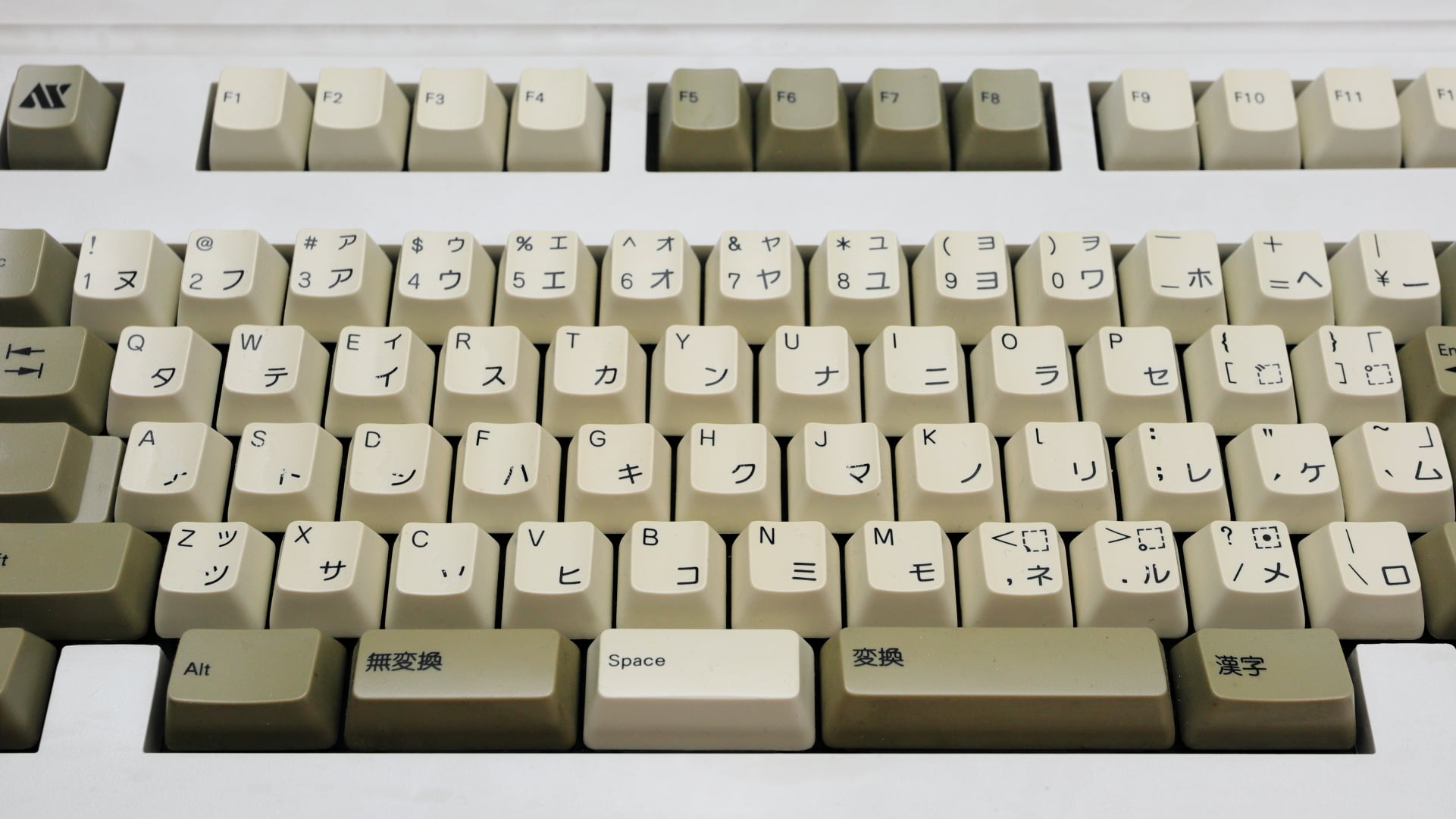
It seems that my keyboard preferences, which were shaped by learning to touch-type on an FM-8, were subsequently heavily influenced by the IBM AT 84-key (Model F) and SUN Type 3 keyboards, and have ultimately settled on the AX keyboard.
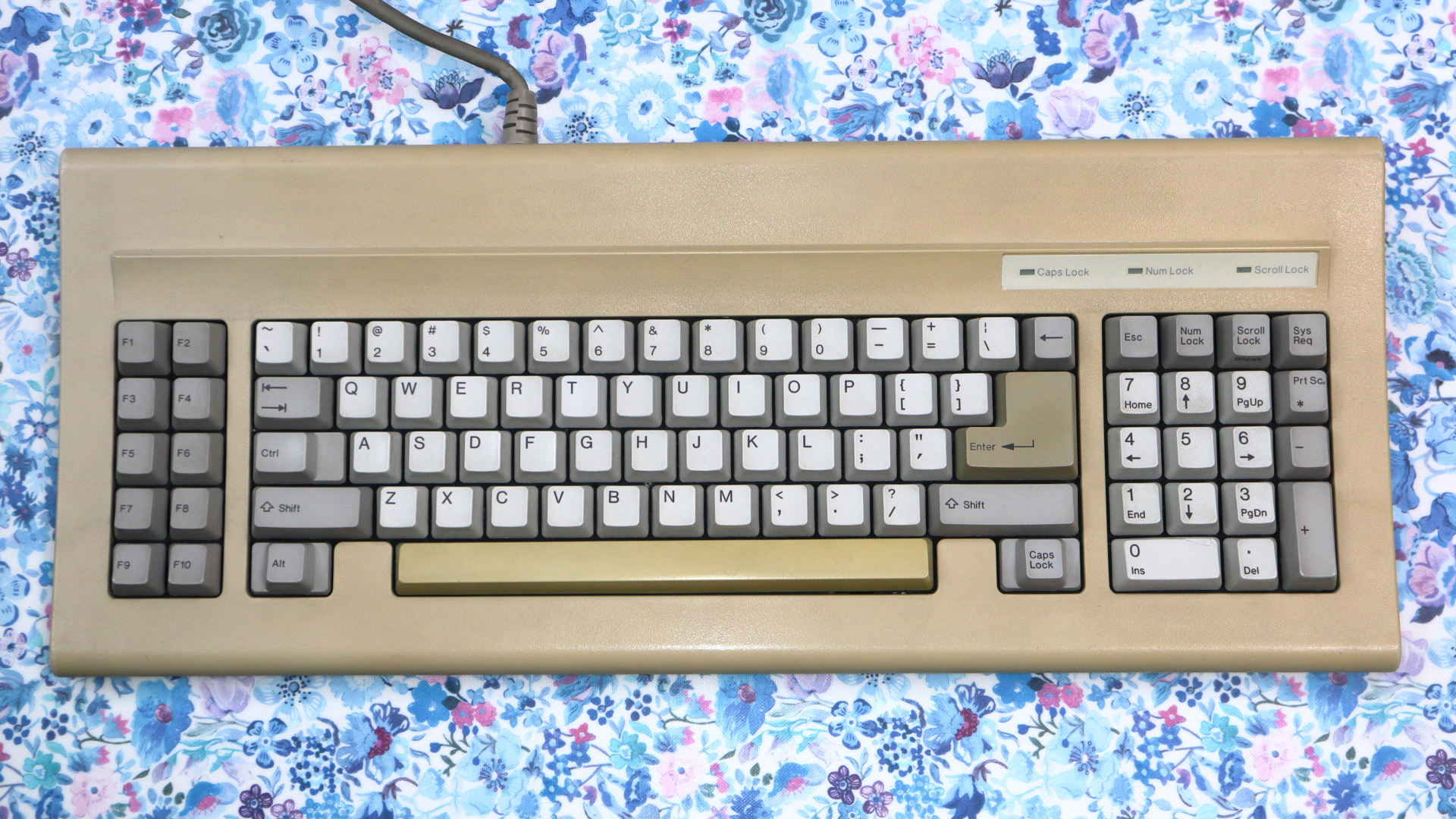
Thanks to the AX keys blocking the usual spot for the ESC key,
the ESC key is located nearby—to the left of the 1 key—and thanks to the oddly shaped Enter key,
the ~ and ` keys are also close by. The small spacebar provides quicker recovery and makes it easy to use.
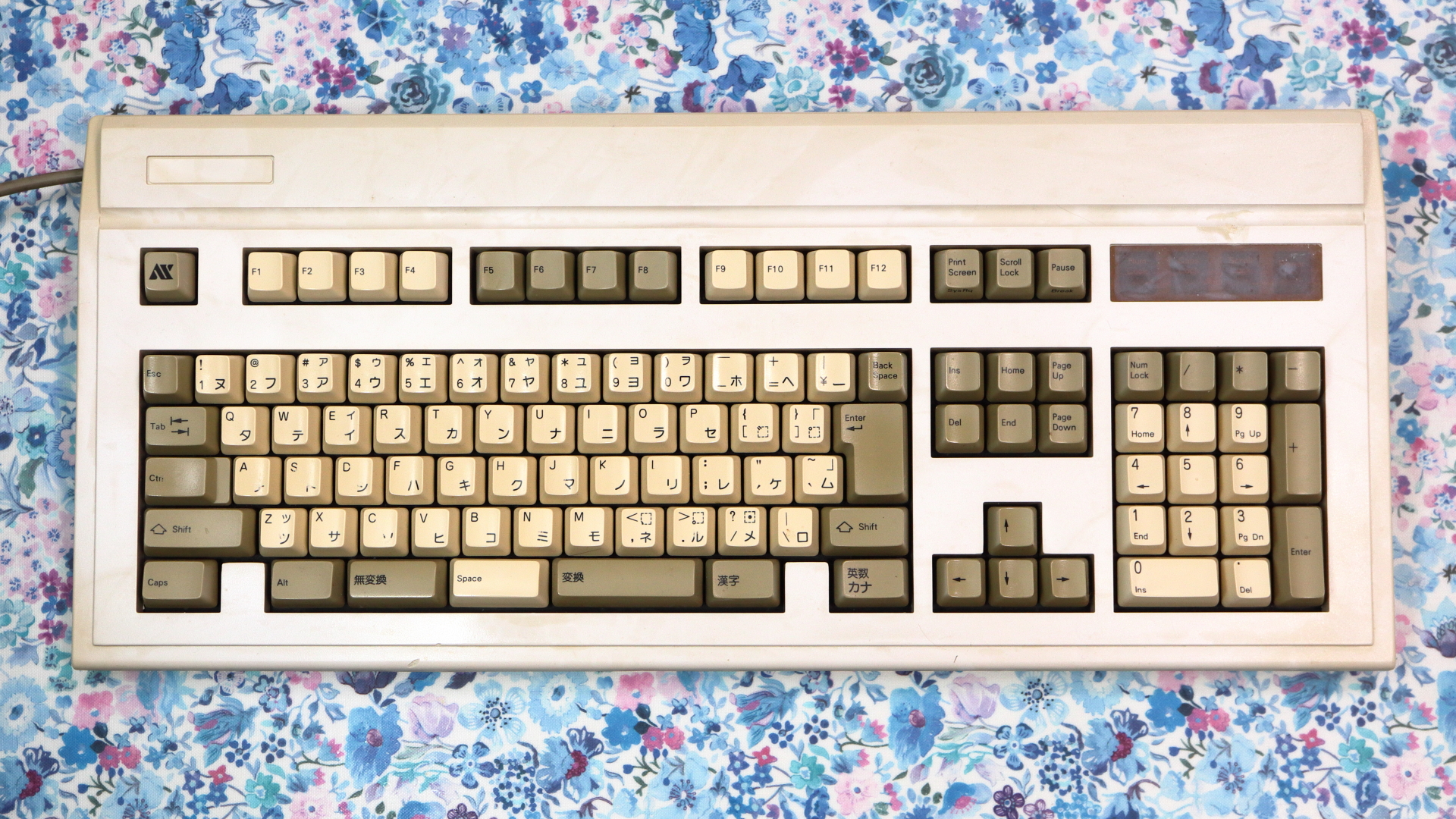
Serial number K6005000035, Manufactured on June 22, 1990. Made in Taiwan R.O.C.
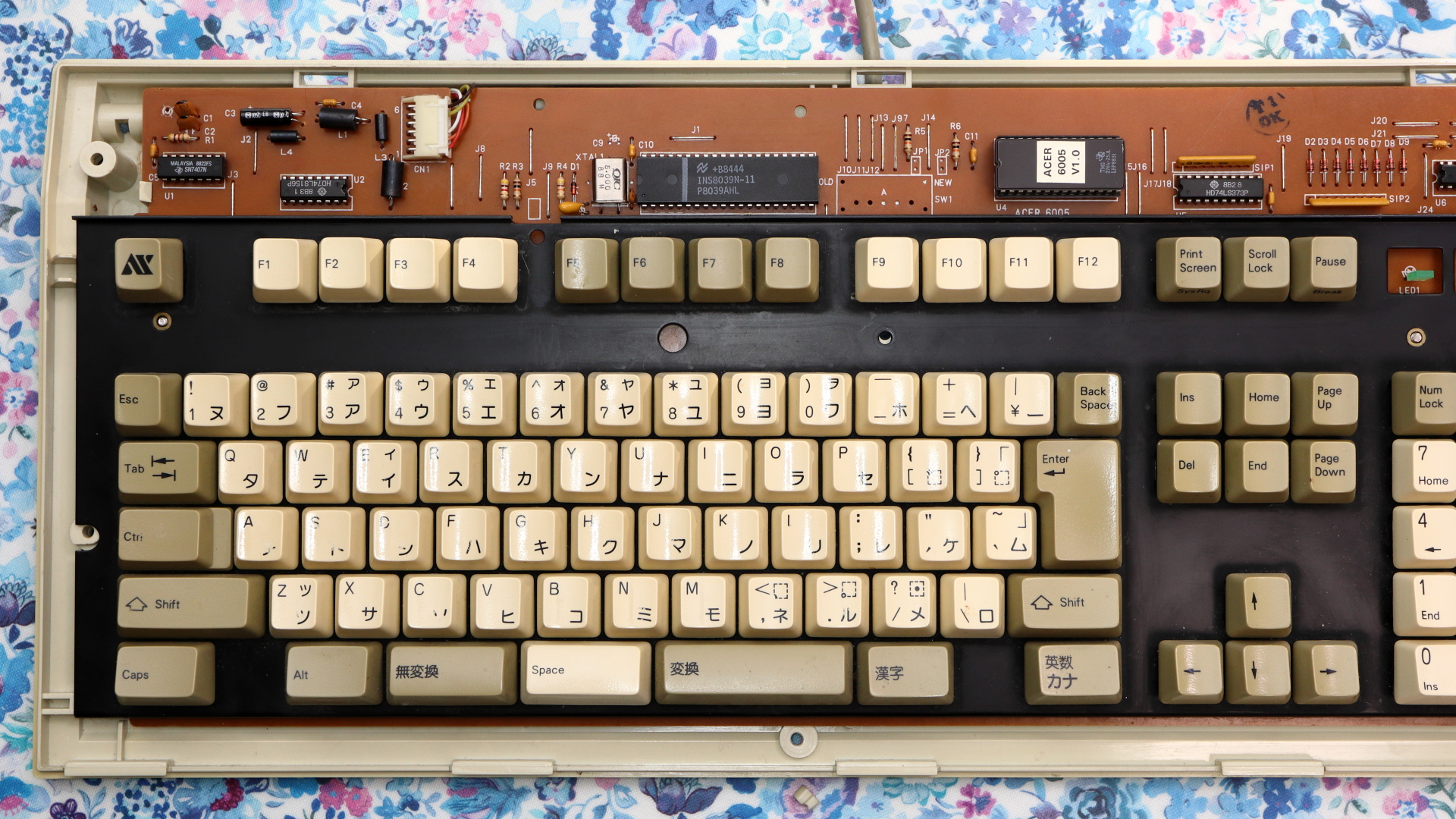
Repairing broken traces
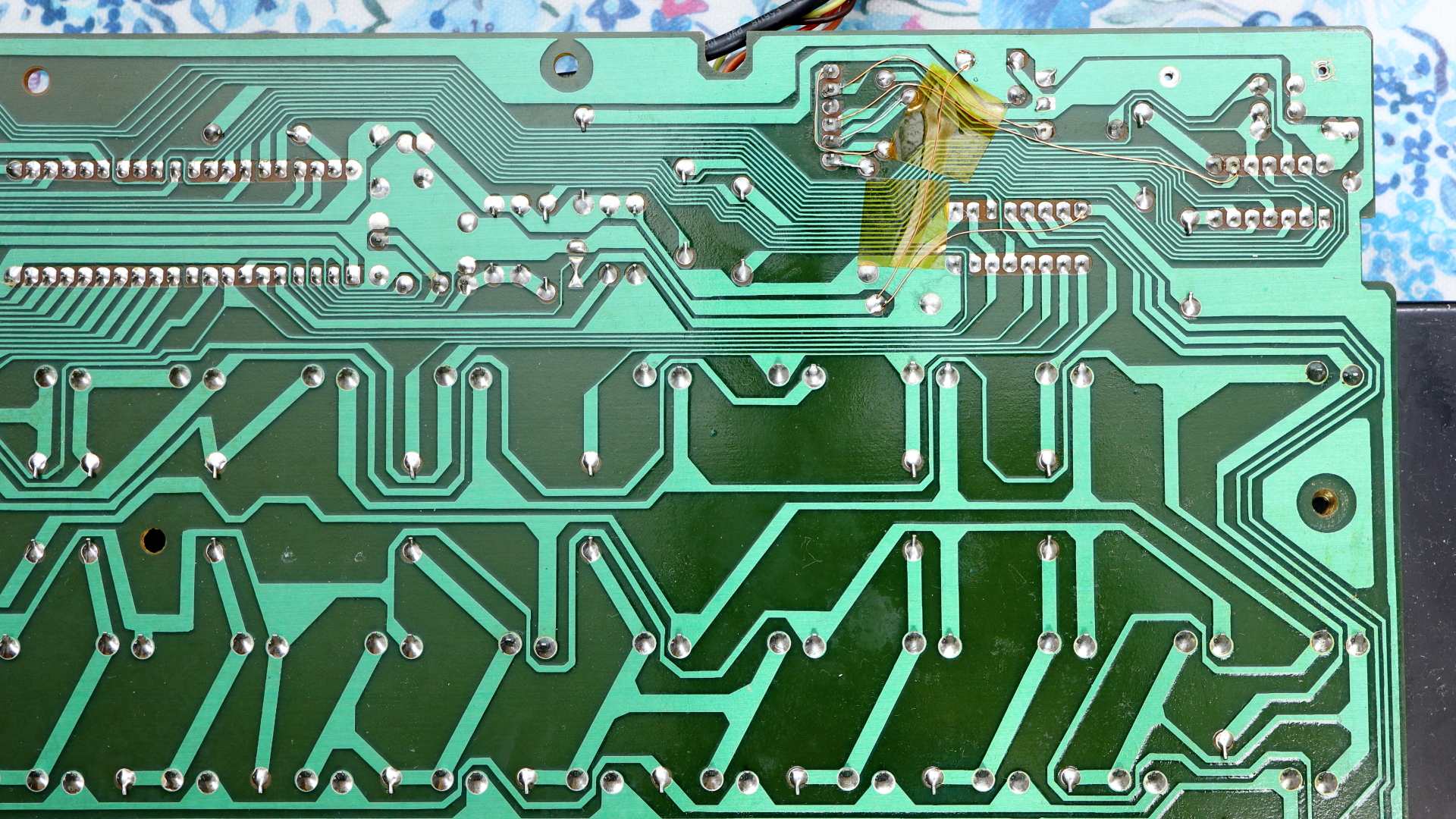
After 27 years, it started malfunctioning—likely after the keyboard had been accidentally dropped. Worried that the ROM might be becoming unstable, I opened the case and found that the solder on the connector had come loose and the circuit traces there were broken. I resoldered the connector, repaired the broken trace, and replaced the electrolytic capacitor—which had long since exceeded its design lifespan—but surprisingly, the one I removed still maintained its 23 μF capacitance. While I was replacing the capacitor, I also quietly reinforced the ground connection.
Repairing a malfunctioning mechanical switch
The 6 key on my AX keyboard is having contact issues;
this may be due to contamination from materials such as resin or thermal compounds, as I've been using it during experiments.
As a temporary solution, I brought out the Topre Realforce 86U I had kept as a spare. Although it has an ANSI tenkeyless layout, it is also one of the reliable keyboards.
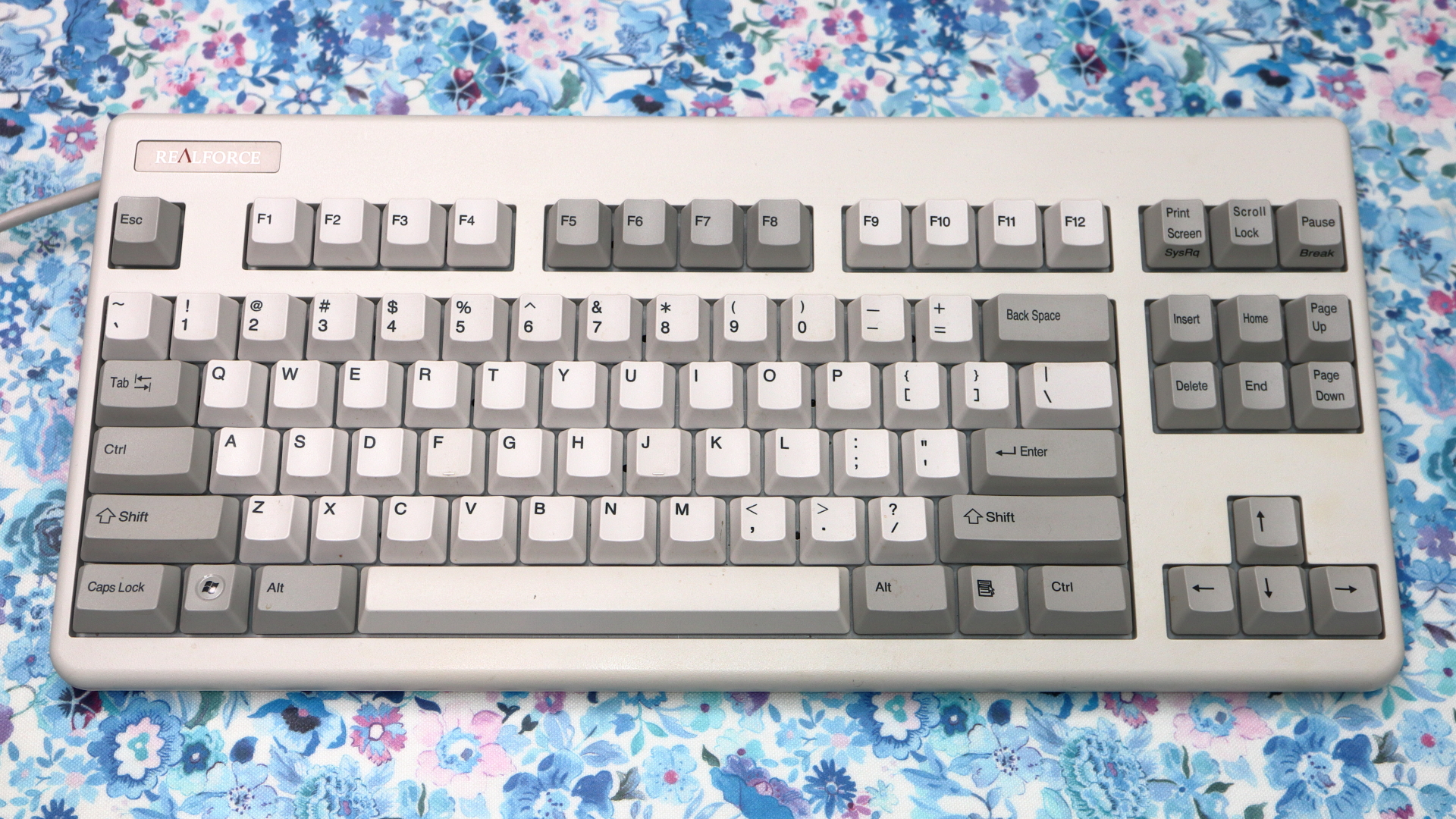
In Japan, November 3rd is Culture Day.
My AX keyboard had been sitting unused for a while because of the intermittent issue with the 6 key,
but I thought that might be a form of culture in its own way… so I decided to try fixing it.
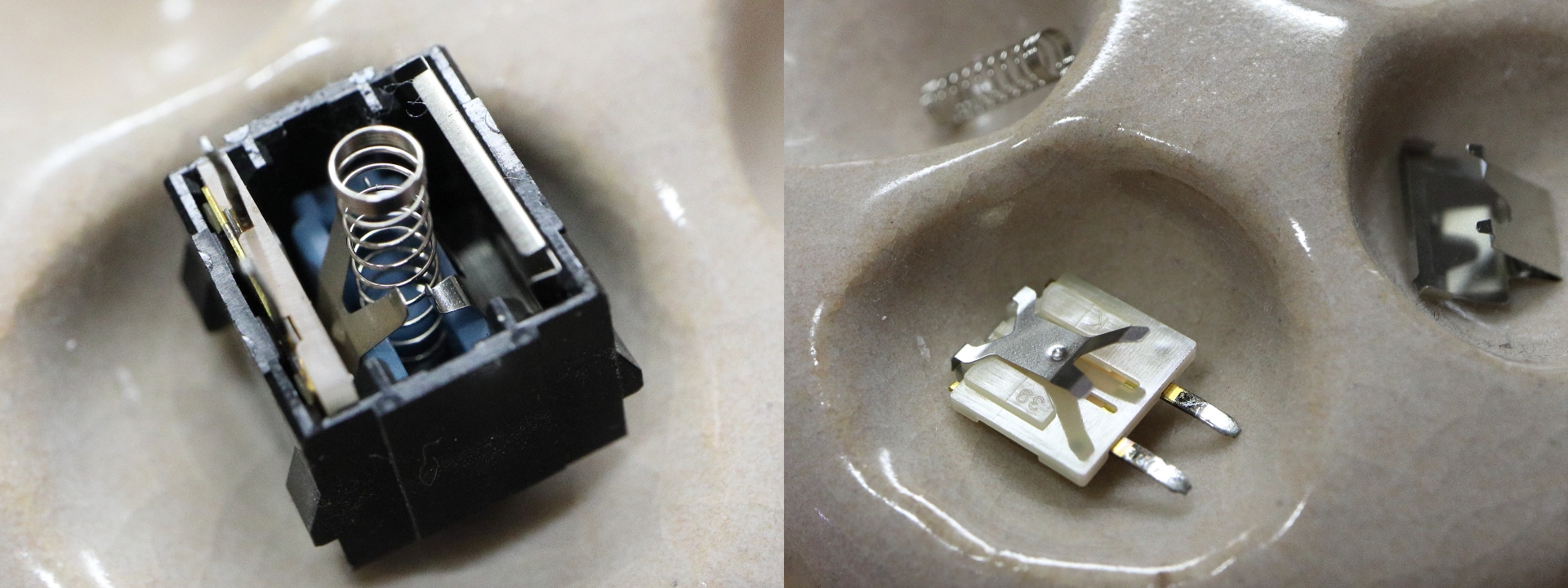
Here is what it looks like after removing and opening the switch. There was no visible rust, so I proceeded to disassemble it further.
The contact surfaces showed signs of contamination, possibly from silicone oil or similar substances. Cleaning with ethanol and propanol did not help, but the contact was restored using an n-hexane-based parts cleaner. I also slightly adjusted the leaf spring to increase contact pressure.
RetroBritening
I've been using this AX keyboard for over thirty years now and
since it's gotten pretty yellowed,
I decided to give it a RetroBrite treatment to reverse the yellowing of the ABS plastic.
Since I don't have a powerful UV light source at home,
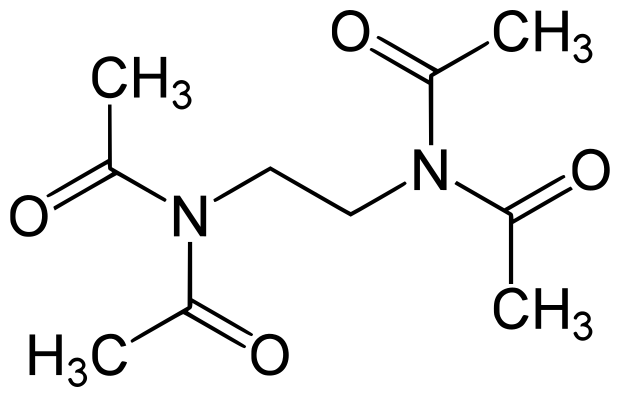
I soaked it in a mixture of hydrogen peroxide and a
laundry booster
TAED (Tetraacetylethylenediamine)
 then left it out in direct sunlight for four days.
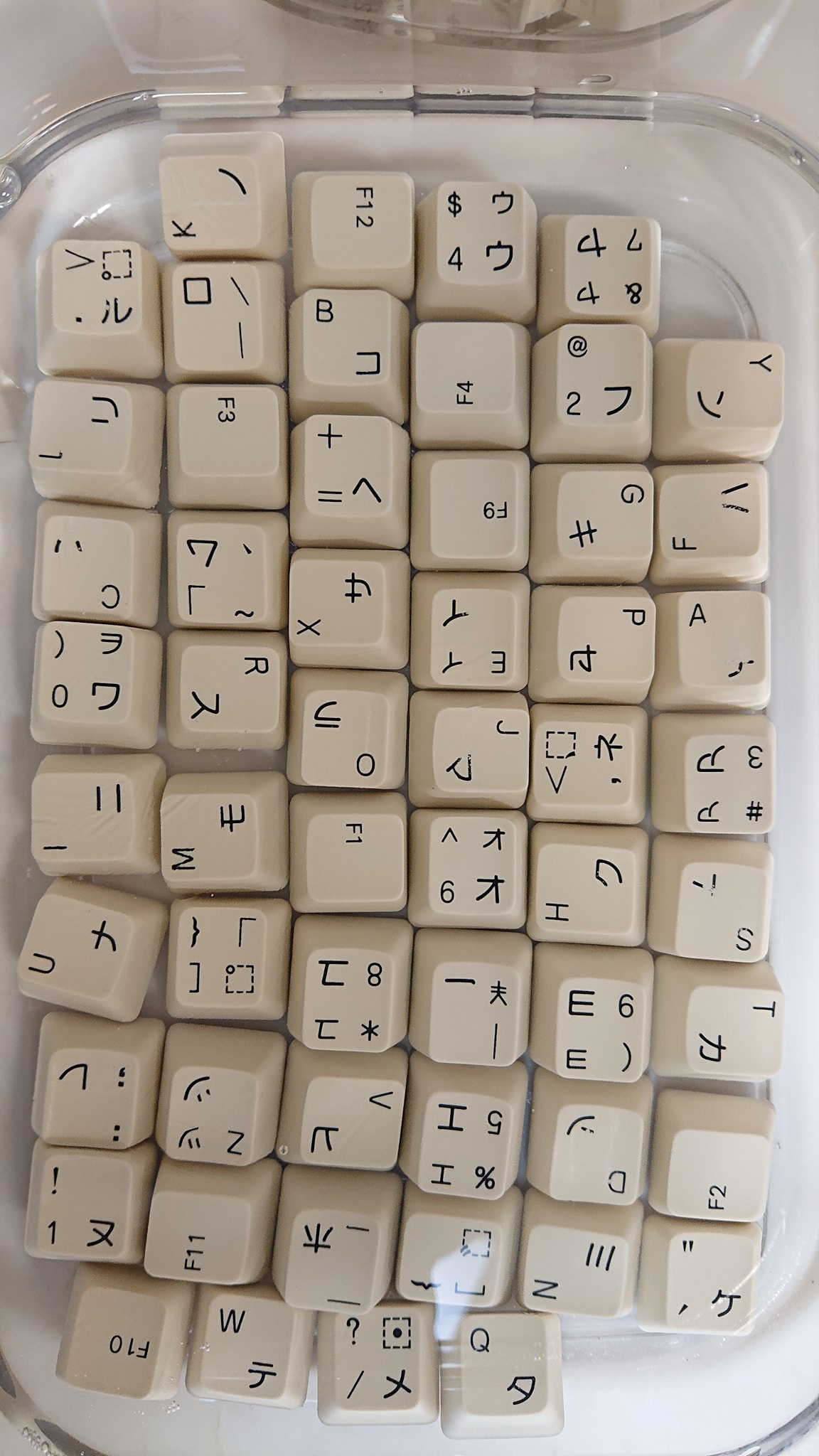
The keycaps, which had yellowed to match the frame,
started to whiten up quite a bit on the first sunny day,
and by the fourth day, they were much whiter
then left it out in direct sunlight for four days.
The keycaps, which had yellowed to match the frame,
started to whiten up quite a bit on the first sunny day,
and by the fourth day, they were much whiter
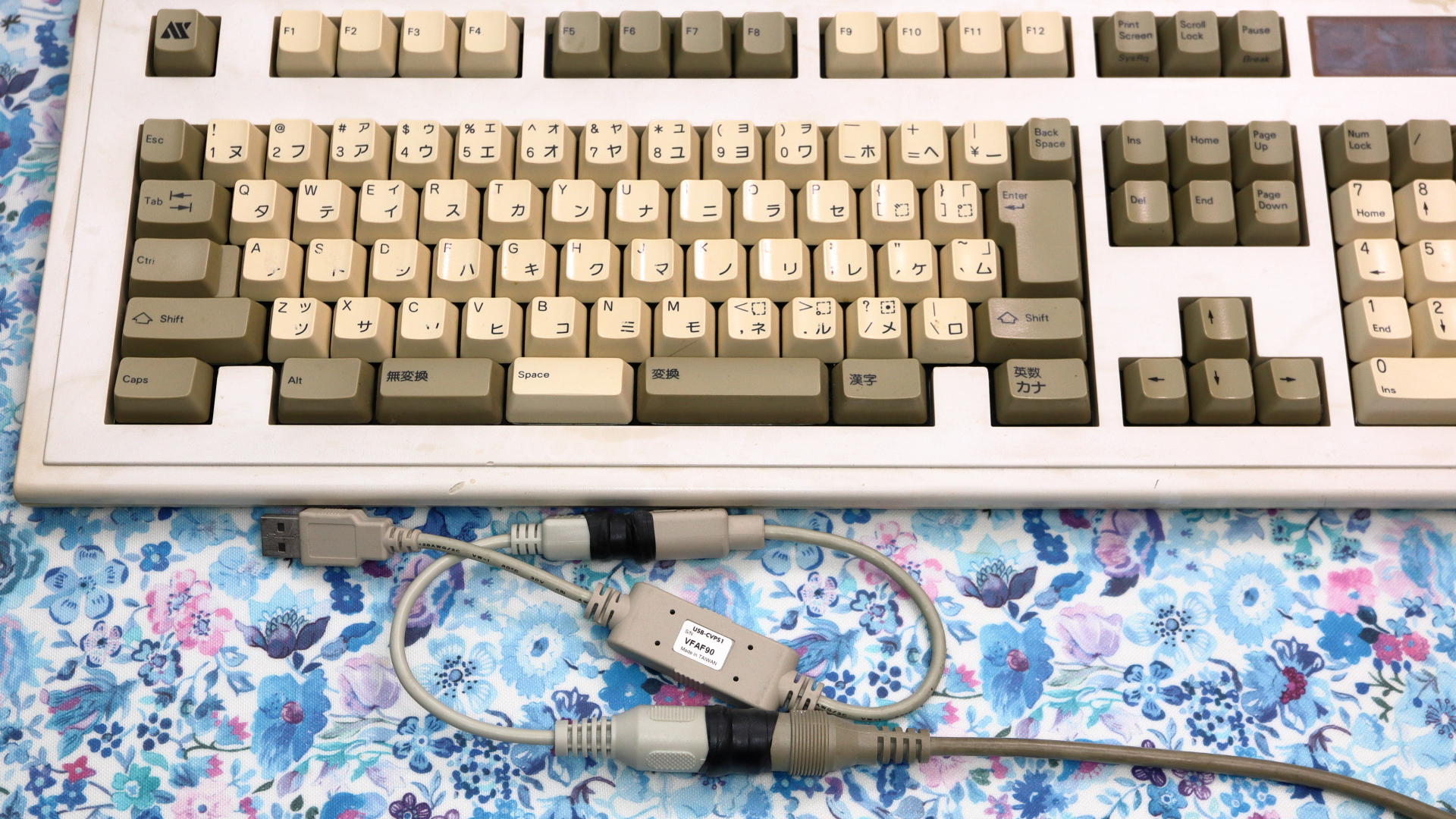
AX/AT DIN5-PS/2-USB connecter conversion
Modern PCs running Windows 11 do not come with a PS/2 keyboard interface. Thanks to a DIN5-to-PS/2 adapter and a PS/2-to-USB converter, you can still use the AX keyboard even today.
Windows 11 Registry Settings
From the perspective of modern Windows 11 PCs, this AX keyboard has very slow key scanning and communication speeds. Furthermore, since it's connected via a PS/2-to-USB converter, it may be even slower, which could pose a slight issue.
Also, AX keyboards from that era naturally do not have Windows or Application keys. Therefore, I added settings to the Windows 11 registry to adjust the polling rate, along with remapping the Caps Lock key to the Windows key and the AX key to the Application key, making it usable with Windows 11.
Windows Registry Editor Version 5.00

; ============================================================
; AX Keyboard + HHKB shared configuration for Windows 11
;
; AX keyboard connected via PS/2-USB converter
; HHKB connected via USB
;
; Keyboard layout:
;   AX keyboard layout driver: kbd101.dll
;   Override i8042prt keyboard identification as PC/AT 101-key
;
; Key remapping:
;   CapsLock       -> Left Windows
;   HHKB R-Win     -> Right Ctrl
;   AX key         -> Application
;
; Notes:
;   1. Scancode Map is system-wide, not device-specific.
;   2. AX key and HHKB R-Win are distinguished by the
;      E0 extended flag.
;   3. AX key is received as scan code 5C without E0.
;   4. HHKB R-Win is received as E0 5C.
;   5. Right Ctrl itself is not remapped.
;   6. Changes take effect after restarting Windows.
; ============================================================


; ------------------------------------------------------------
; 1. PS/2 keyboard driver configuration (i8042prt)
; ------------------------------------------------------------

[HKEY_LOCAL_MACHINE\SYSTEM\CurrentControlSet\Services\i8042prt\Parameters]

; Use the US 101-key keyboard layout driver
"LayerDriver JPN"="kbd101.dll"

; Override keyboard hardware identification
; Keyboard type: PC/AT 101/102-key
"OverrideKeyboardType"=dword:00000007

; Keyboard subtype: 0
"OverrideKeyboardSubtype"=dword:00000000

; Keyboard identifier: PC/AT 101-key
"OverrideKeyboardIdentifier"="PCAT_101KEY"


; ------------------------------------------------------------
; 2. PS/2 keyboard timing parameters
; ------------------------------------------------------------

; Increase polling iterations for legacy PS/2 keyboards
"PollingIterations"=dword:00002ee0
"PollingIterationsMaximum"=dword:00002ee0

; Number of resend attempts
"ResendIterations"=dword:00000003


; ------------------------------------------------------------
; 3. System-wide keyboard scan code mapping
; ------------------------------------------------------------

[HKEY_LOCAL_MACHINE\SYSTEM\CurrentControlSet\Control\Keyboard Layout]

; Scancode Map format:
;
; Header (4 bytes):       00 00 00 00
; Flags (4 bytes):        00 00 00 00
; Number of entries:      04 00 00 00
;                         (3 mappings + 1 terminator)
;
; Mapping entry format:
;   Destination scan code (2 bytes)
;   Source scan code      (2 bytes)
;
; Scan codes are represented in little-endian order.
; E0-prefixed scan codes are represented with the E0 byte
; in the second position.
;
; Mapping 1:
;   R-Ctrl (E0 1D) <- R-Win (E0 5C)
;
; Mapping 2:
;   L-Win  (E0 5B) <- CapsLock (00 3A)
;
; Mapping 3:
;   App-key (E0 5D) <- AX-key (00 5C)
;
; Terminator:
;   00 00 00 00
;
; AX keyboard:
;   Keymill confirms that the AX key is received as:
;     Virtual key code: VK_OEM_JUMP (0xEA)
;     Scan code:        0x5C
;     Extended flag:    False
;
;   The AX key is therefore mapped using scan code 00 5C
;   (without the E0 extended prefix) to the Application key.
;
; HHKB:
;   Right Windows is received as:
;     Scan code:        0x5C
;     Extended flag:    True
;
;   It is mapped using scan code E0 5C to Right Ctrl.
;
;   The AX key and HHKB Right Windows key are distinguished
;   by the E0 extended flag.
;
; IMPORTANT:
;   This mapping applies globally to all keyboards.
;   The distinction between AX and HHKB keys is based on
;   their scan codes and extended flags, not device identity.
;
;   Right Ctrl (E0 1D) is not a source in this map and
;   therefore remains unchanged.

"Scancode Map"=hex:\
00,00,00,00,\
00,00,00,00,\
04,00,00,00,\
1d,e0,5c,e0,\
5b,e0,3a,00,\
5d,e0,5c,00,\
00,00,00,00
The Game Changer—Compact and Fully Programable Keyboard
The main reasons I've continued using the AX keyboard are that the mechanical switches have a very satisfying,
crisp feel and don't cause fatigue,
and that the ESC and ~ ` keys aren't too far from the home position,
plus the spacebar has a light touch.
However, NiZ has released a compact keyboard featuring highly reliable capacitive touch-sensitive keys with a light keystroke, full key programmability, and Bluetooth support.
For those who can touch-type, the absence of characters on the keycaps is no issue, allowing for completely customizable key layouts.
It has just 66 keys, but thanks to that, not only can I place the ESC,
~ `, and | \ keys exactly where I want them,
but the arrow keys are close by and there/s even a Windows key.
It's programmable down to combination macros and even includes a pointer movement function.
With its beautiful RGB LED backlighting, the NiZ atom66 (XRGB) comes very close to the keyboard I've always dreamed of—it/s truly a game-changer. I've replaced the bulky AX keyboard on my main work PC with this Atom66, leaving behind just a touch of nostalgia.
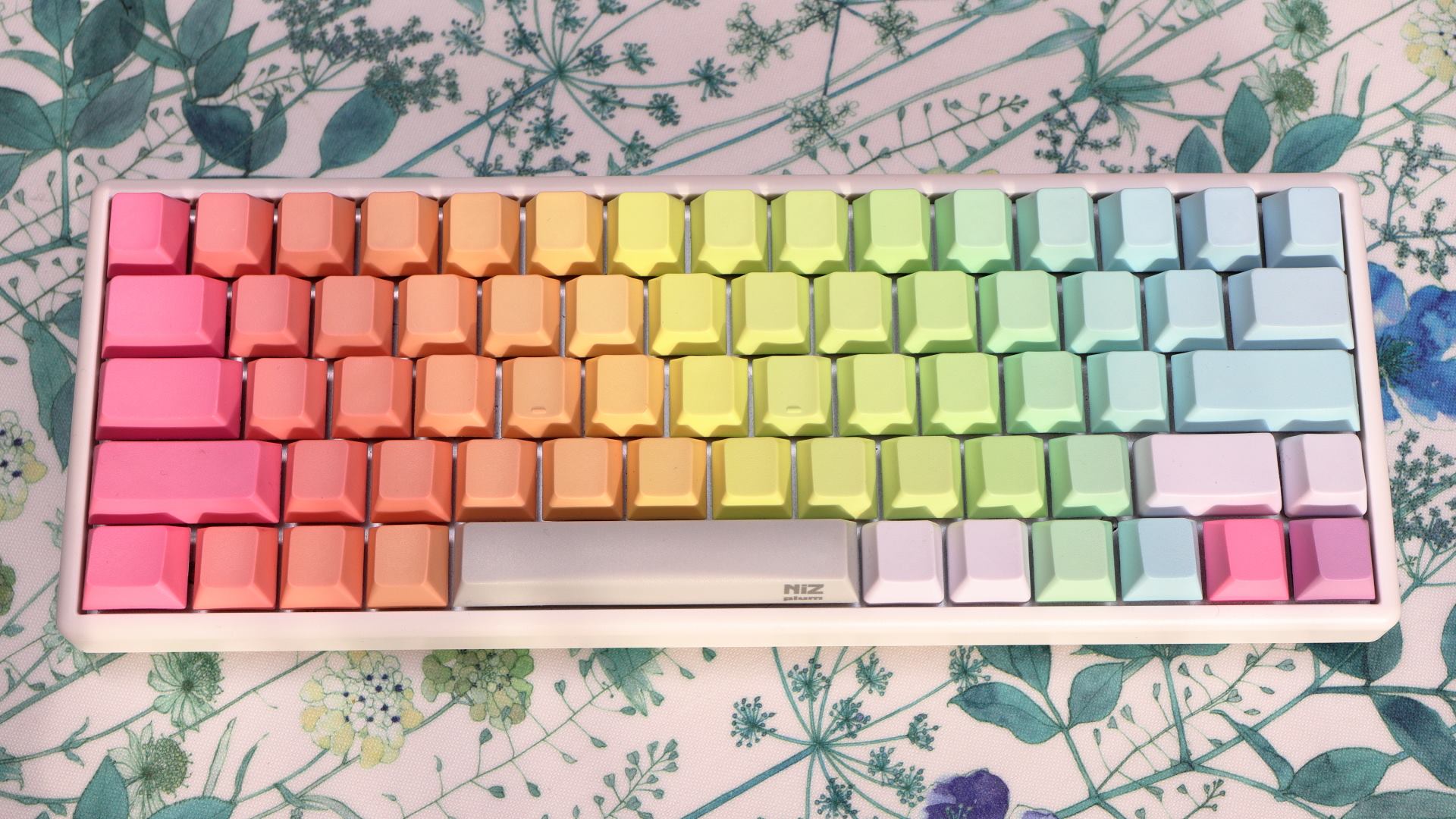
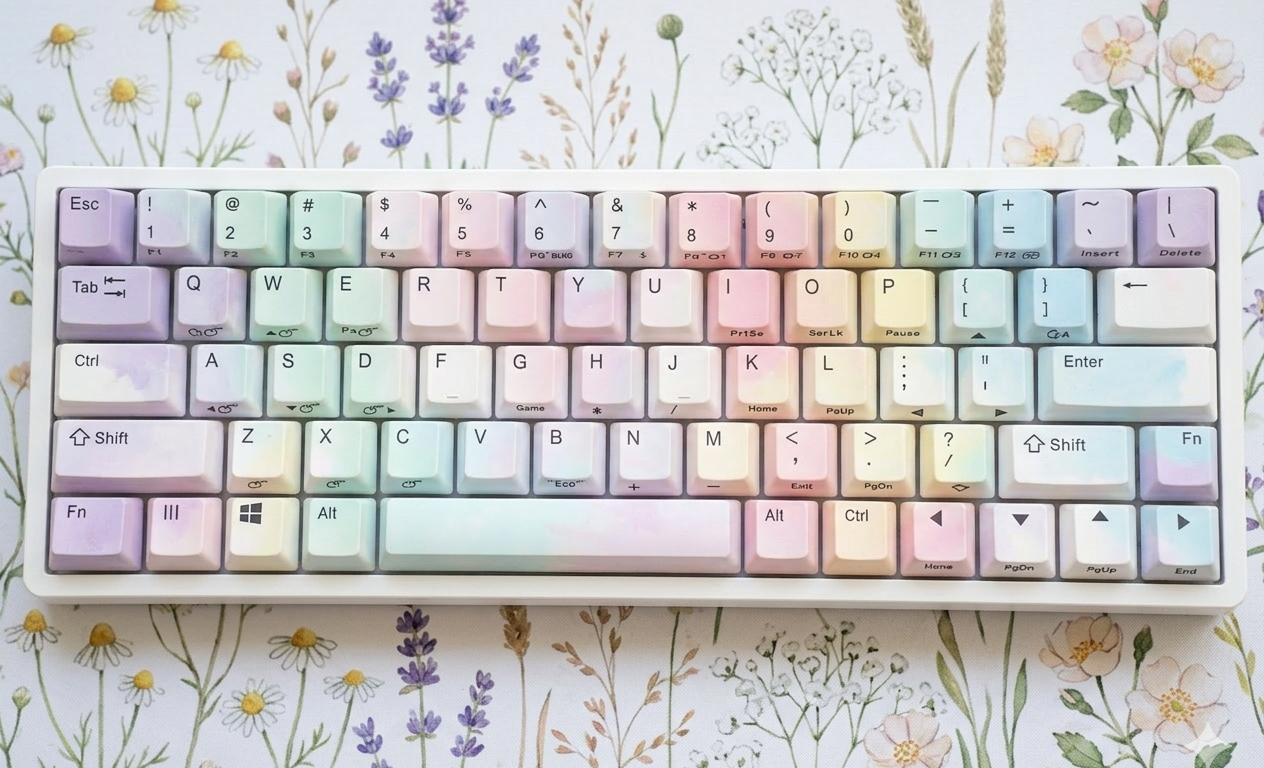
Although the Atom66 had issues with its built-in lithium battery, I removed the battery and have been using it without any problems.
Appendix — Reliable Keyboards
I was given an AX keyboard that had reportedly been used on JAL business terminals around 1990. It had many unfamiliar dedicated keys, yet it was remarkably comfortable to use—it did not tire my hands and made no loud clicking sounds.
"This keyboard doesn't have any mechanical contacts,"
a senior colleague once told me. It was my first encounter with a Topre capacitive keyboard.
"I wish they'd make a consumer version of this,"
I thought, but my wish went unfulfilled for a while.
A few years into the 21st century, I learned that PFU had released a compact capacitive keyboard. Curious to experience it firsthand, I went to a server-oriented shop in Akihabara as soon as it arrived and bought one. That was the HHKB Professional.
The key travel felt a bit long, and the hysteresis between actuation and release made the keys feel slightly slower to disengage. Even so, it brought back that familiar sensation.
"It's just like that keyboard."
I found out soon after that it apparently uses Topre's capacitive switches. With a rated lifetime of 50 million keystrokes—effectively a lifetime—and a key layout suited for Unix use, the HHKB Professional and Professional 2 have been in continuous use as console keyboards for my servers ever since. I believe it is suitable for server use because its fixed key layout and functions ensure consistent behavior, even if the keyboard is replaced or used by different administrators.
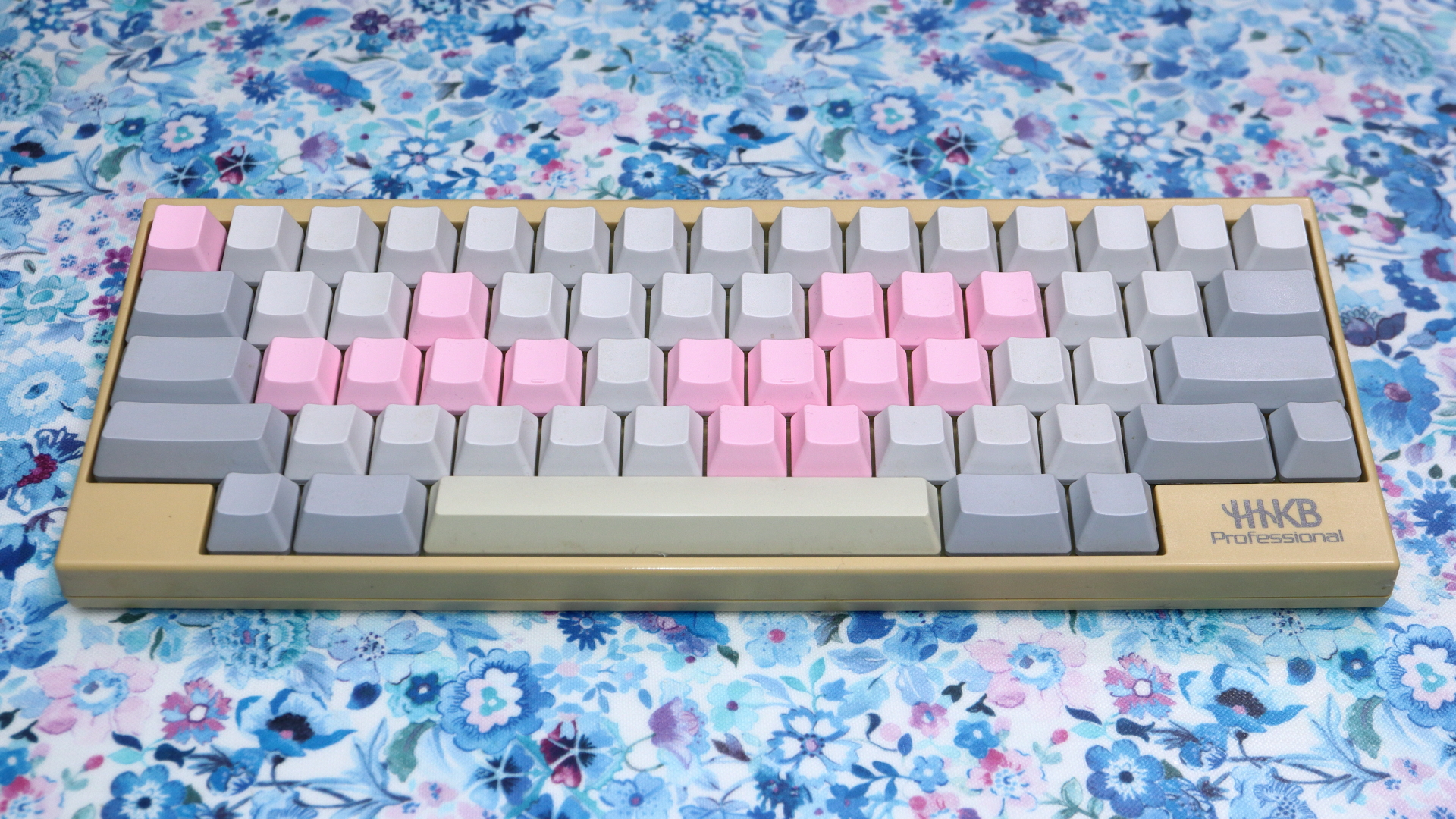
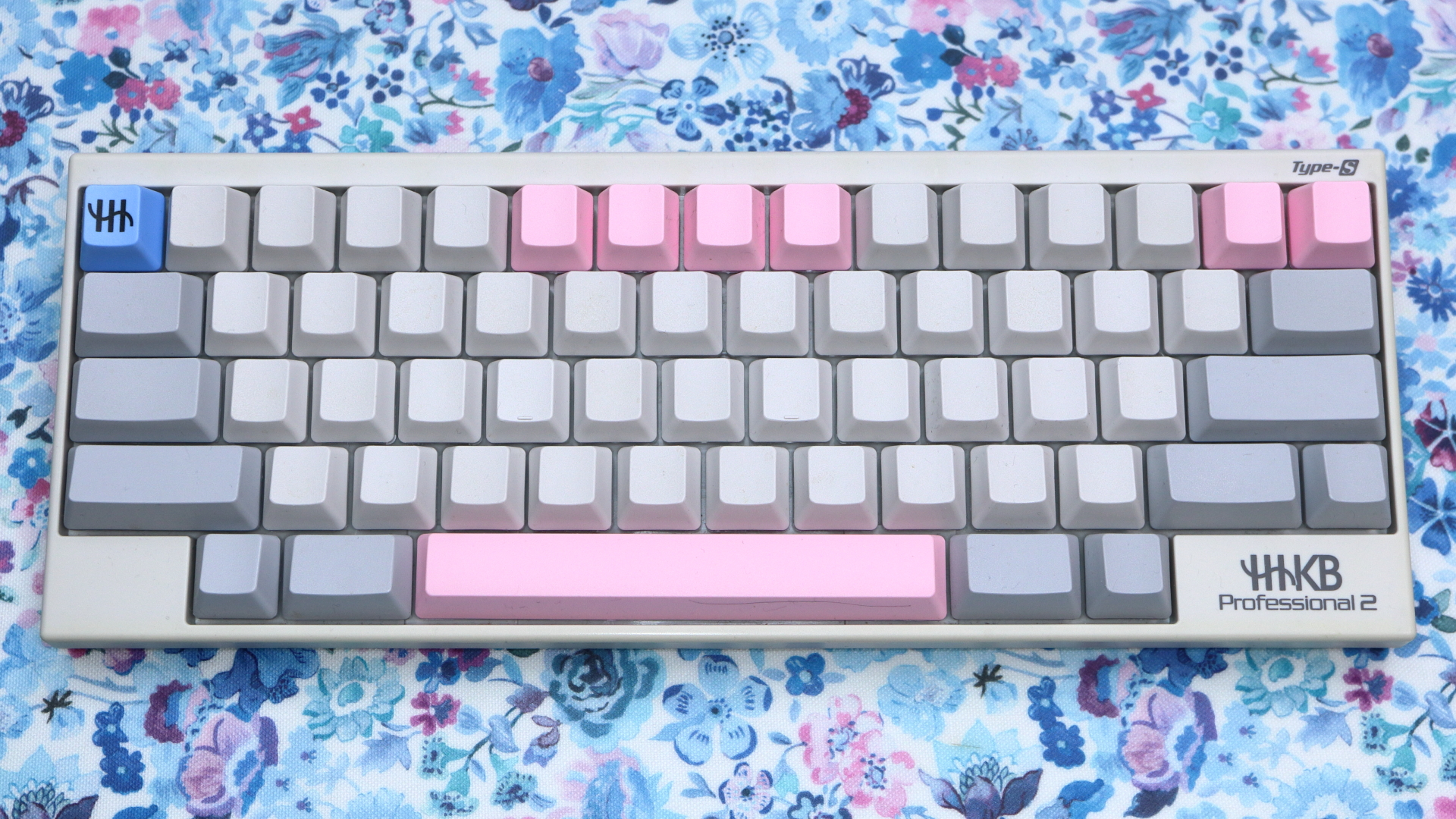
Over time, however, these models have reached the end of their production lifecycle.